Learn Arduino
learnarduino.org
Learn Arduino without buying hardware first: a 3D virtual Uno, 16 guided lessons and adjustable simulations that show why each circuit behaves the way it does.
Visit website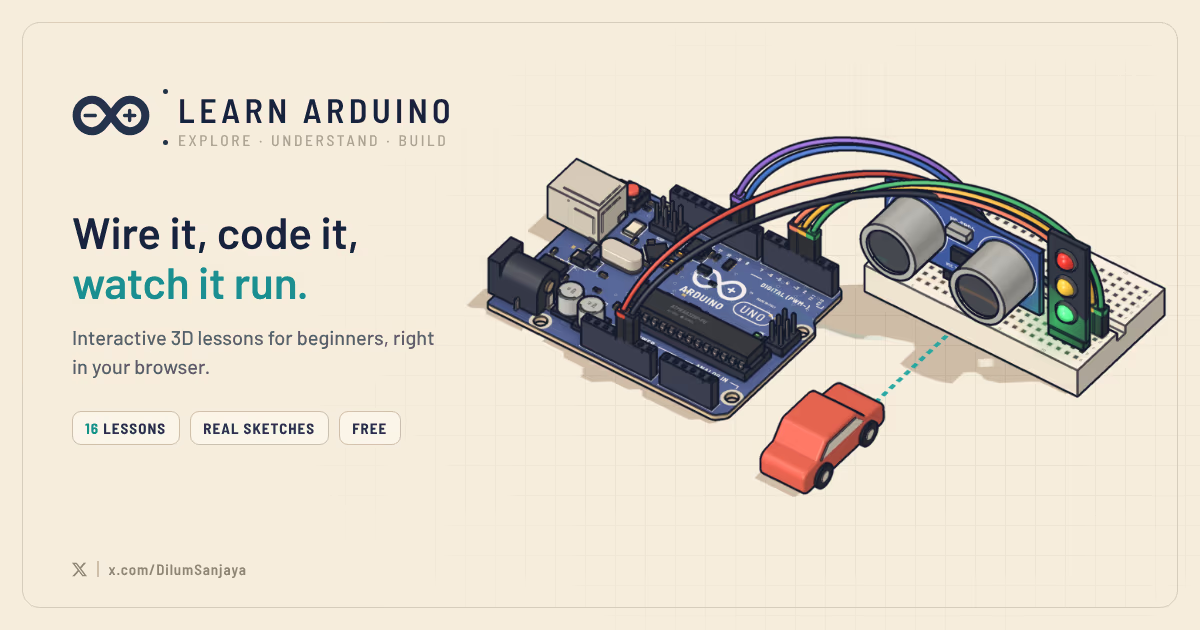
Learn Arduino Before You Buy a Single Component
The most expensive part of learning electronics is not the $5 course — it is the drawer full of components bought on impulse by someone who discovered too late that the hobby was not for them. Learn Arduino solves that problem elegantly: it is a browser-based electronics course built around a virtual 3D Arduino Uno, so you can learn Arduino from scratch without owning a board, a breadboard or even a resistor. Try the hobby first, in simulation; buy parts only when the curiosity sticks.
A Beginner's On-Ramp with Zero Hardware
Learn Arduino is explicitly designed for people starting from zero. The first free lesson, Meet the board, walks you around a virtual Uno with every part labeled — USB port, power jack, power pins, microcontroller, digital pins, analog pins — so the board stops being intimidating and starts being a map. The second lesson blinks an LED; the third reads a button. Three free lessons, zero purchases, and by the end you have already exercised output, input and timing — the three ideas everything else in electronics builds on. That is a remarkably efficient way to learn Arduino's foundations before any money changes hands.
What beginners usually fear about electronics is the invisible failure: the circuit that should work but does not, with no way to see why. The Learn Arduino workspace removes that fear by showing cause and effect directly. Change a value, watch the simulation respond, compare with your prediction. Nothing burns out, nothing is miswired beyond recovery, and every experiment resets with a click — which makes the willingness to experiment, the real prerequisite, much easier to sustain.
The Course Structure, From Component to System
Learn Arduino spreads 16 lessons across a deliberate ladder:
- Free trio: Meet the board, Blink an LED, Push a button.
- Analog and colour: turn a potentiometer, mix RGB channels on one LED.
- Sensing: a light-dependent resistor, an ultrasonic distance sensor, a temperature sensor, a force-sensing resistor.
- Acting on the world: a piezo buzzer, an eight-key mini piano, a transistor-controlled motor, a servo, a stepper motor.
- Systems: a smart-plant monitor combining soil moisture with an OLED display, and a capstone parking sensor that pairs ultrasonic distance with traffic lights.
Because every Learn Arduino lesson models exactly one component or system, and shows its schematic, current flow and example sketch together, you are never asked to trust a diagram you cannot inspect. The workspace invites you to predict what a change will do before running it — and that habit, more than any single fact, is what learning electronics actually requires.
Teachers and Classrooms, No Parts Budget Required
For teachers, Learn Arduino is close to ideal: the entire Learn Arduino curriculum runs on any browser, supports touch, and needs no installation, no kit and no lab. A class can learn Arduino together from projected 3D boards, with each student predicting outcomes before the Learn Arduino simulation runs. The honesty of the teaching models helps here too — Learn Arduino states plainly that its simulations simplify electrical behaviour, which is exactly the caveat a good teacher would add anyway.
What It Costs (and What It Doesn't)
The first three Learn Arduino lessons are free. Unlocking the remaining 13 costs $5 once — a lifetime unlock with no subscription — tied to your Google account so it works across devices. Sign in with Google before purchasing, and note the scope: your $5 unlocks this course only. The sibling visual courses, Protocol Explorer (39 protocols explaining how the internet actually moves data) and Learn Bitcoin (18 lessons on transactions, mining and consensus), are separate purchases. For anyone who has bounced off subscription edtech, the Learn Arduino pricing model is refreshingly legible.
Honest Limits, Clearly Stated
Learn Arduino does not pretend to be a hardware IDE. It does not compile arbitrary C++ or upload sketches over USB — its simulations are supplied teaching models with adjustable values. When you are ready for physical builds, the course's advice is simple: check component specifications and graduate to the Arduino IDE and real parts. Lesson progress lives in your current browser rather than syncing across devices, a small limitation the FAQ states without hiding it. This candor is a feature: a tool that teaches electronics by hiding nothing teaches well by example.
Who Should Start Here
- Absolute beginners who want to learn Arduino without ordering parts first — the free trio is a genuine taste, not a teaser.
- Students and teachers who need a no-budget, no-lab electronics curriculum that runs on anything with a browser.
- Hobby-returners who own a dusty Uno in a drawer and want to finally understand what its pins do.
- The simply curious, who enjoy interactive explanations and will appreciate that Learn Arduino treats understanding — not completion — as the goal.
What Learn Arduino Costs Compared to the Alternatives
A starter electronics kit runs $30–$60 before you know whether the hobby will stick; a textbook adds another $40; scattered videos cost nothing but your time and rarely connect code to circuit. Learn Arduino costs $5 once, after three free Learn Arduino lessons that are genuinely representative. For that $5, the Learn Arduino unlock covers 13 lessons in one consistent workspace, and the Learn Arduino sibling courses stay separate rather than bundled into your bill. The Learn Arduino pricing is legible enough to explain to a student — or to a parent approving a Learn Arduino classroom purchase. And unlike kit-first paths, Learn Arduino lets the decision follow the experience. Compared with any other way to learn Arduino, the free Learn Arduino trial plus one-time Learn Arduino unlock is the cheapest serious option we know.
The Verdict
Learn Arduino is the lowest-risk entry into electronics we have reviewed: a 3D virtual Uno, 16 interactive lessons, three of them free, and a one-time $5 to continue — no subscription, no parts list, no pretending. If you have ever wanted to learn Arduino but stalled at the shopping cart, the Learn Arduino workbench lets curiosity go first and hardware follow.
Learn Arduino FAQ
Do I need to buy an Arduino board to take the course? No. Learn Arduino runs on a virtual 3D Uno in your browser; hardware is only needed later, if you choose to build physical versions.
Is Learn Arduino really free to start? Yes — Meet the board, Blink an LED and Push a button are free. The other 13 lessons are a one-time $5 unlock.
Will Learn Arduino teach me to write my own sketches? It teaches how supplied sketches relate to circuits. The Learn Arduino simulator does not compile custom C++; for that, move to the Arduino IDE the course points you to.
Can I use Learn Arduino in a classroom? Absolutely — it runs on any browser, supports touch, and the Learn Arduino predictions format works well projected for a class.
Does my progress follow me across devices? Lesson progress stays in the browser; your purchase follows your Google account, so unlocked Learn Arduino lessons open anywhere after sign-in.